| |
|
|
What makes better Retailers?
The answer is simple - they use the right Point of Sale system.
Here are just a few of the reasons to consider looking at Intuit QuickBooks
Point of Sales Pro or Multi-Store Systems. See if any of these are things that would help make you a better
retailer. If the answer is yes give us a call and we'll provide you with two
free hours of consulting to make sure your questions are answered. If
this is the right solution for you give us a call and find out how our
new customer promotions can save you even more then buying from other
sources.
Build customer loyalty

Great Customer Service means increased Customer Loyalty which
translates to repeated visits, referrals and increased sales for you.
With Intuit Point of Sales Pro you can track customers contact
information and purchase history automatically.
- See who your best customers are with instant reports.
- Improve your marketing and target your
efforts to specific lists from the Customer Center.
- Track customers' contact information so you can let them know
about upcoming sales or new inventory from their preferred
manufacturers.
- Automatically track and reward your best customers with a
customizable rewards program.
- Automatically create letters to customers.
- Bring new and repeat customers into your store as they buy and
redeem gift cards.
|
|
Expand your operations

Planning on Growth? We have you covered! With QuickBooks Point of
Sales Pro Multi-Store you can expand your operation to up to 20 store
location with 20 stations each. You can
managed the information from one location and know at a glance how
each store - as well as your company as a whole is doing.
- Integrate Point of Sale with QuickBooks financial software
for even more flexibility in tracking and processing your payables,
receivables and general ledger.
- Add payroll and track the hours your people work from the store
and download the information directly into payroll. It even tracks
the commission earned.
- Expand your solution to sell on the internet with full
integration of customers and inventory from your Point of Sale
system.
- Add Intuit Merchant Services to handle check verification,
credit cards, debit cards and gift cards and process payments
through Point of Sale, the Internet or the financial software.
|
| |
Manage your inventory

It goes with out saying that Inventory control can easily make or break
a retailer. You need to know what to order, when to order, how much to
order, who to order from and be able to order at the best possible
price. QuickBooks Point of Sales Pro can make this a breeze.
- Real-time inventory automatically adjusts your inventory every
time you make a sale, order, return or receive an item.
- Set reorder points and generate recommended purchases that
turned into purchase orders with your vendors.
- Transfer inventory between stores or locate which store has the
inventory you need.
- Detailed inventory information can be easily tracked though a
variety of reports, including inventory performance, top selling
products and comparing product sales over last year sales.
- Apply temporary discounts for a scheduled sale.
- Track layaways and sales orders
- Perform full physical or cycle counts of inventory.
- Use multiple units of measures and price levels per item.
- Create custom price tags, receipts, and more, without starting
from scratch.
- Manage and track multiple vendors and UPC codes per item.
|
|
Easy to use
Did you know that a human typically makes one mistake in 300 entries,
especially in a high volume environment where the cashier is required to
perform this tedious data entry task for hours on end? Having a system
that is easy to use reduces errors and increases profits.
- Easy-to-use QuickBooks navigator provides quick access to POS
transactions, inventory, purchasing, help and support.
- The “quick-find” feature allows users to key in search terms to
quickly find customers, sales and items. Lookup options are
available in all appropriate fields, also customers, items and other data can be added on the fly.
- Create custom price tags, receipts, and more, without starting
from scratch. Customize vendor and customer fields and even how you view them on your screen.
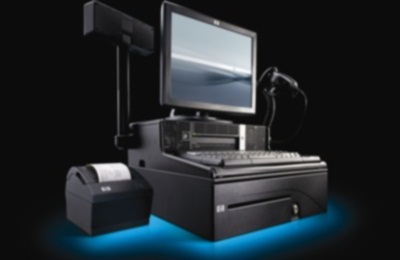
- Keep lines moving while ringing sales faster with even higher accuracy rates by
using barcode scanners or touch screens. Its like typing with 10
fingers vs. 2 fingers.
- Use Pricing Manager to instantly adjust prices and discounts across products and departments.
- Track employee hours, sales commissions, layaways, backorders, work orders and sales orders.
|
|
|
|
|
|